Visual tour
Every screenshot on this page shows the real Docbank interface running against a temporary vault. All the data in them is synthetic: the names, contents, hashes, identifiers, storage history, and audit history were generated for the captures.
Browse and identify documents
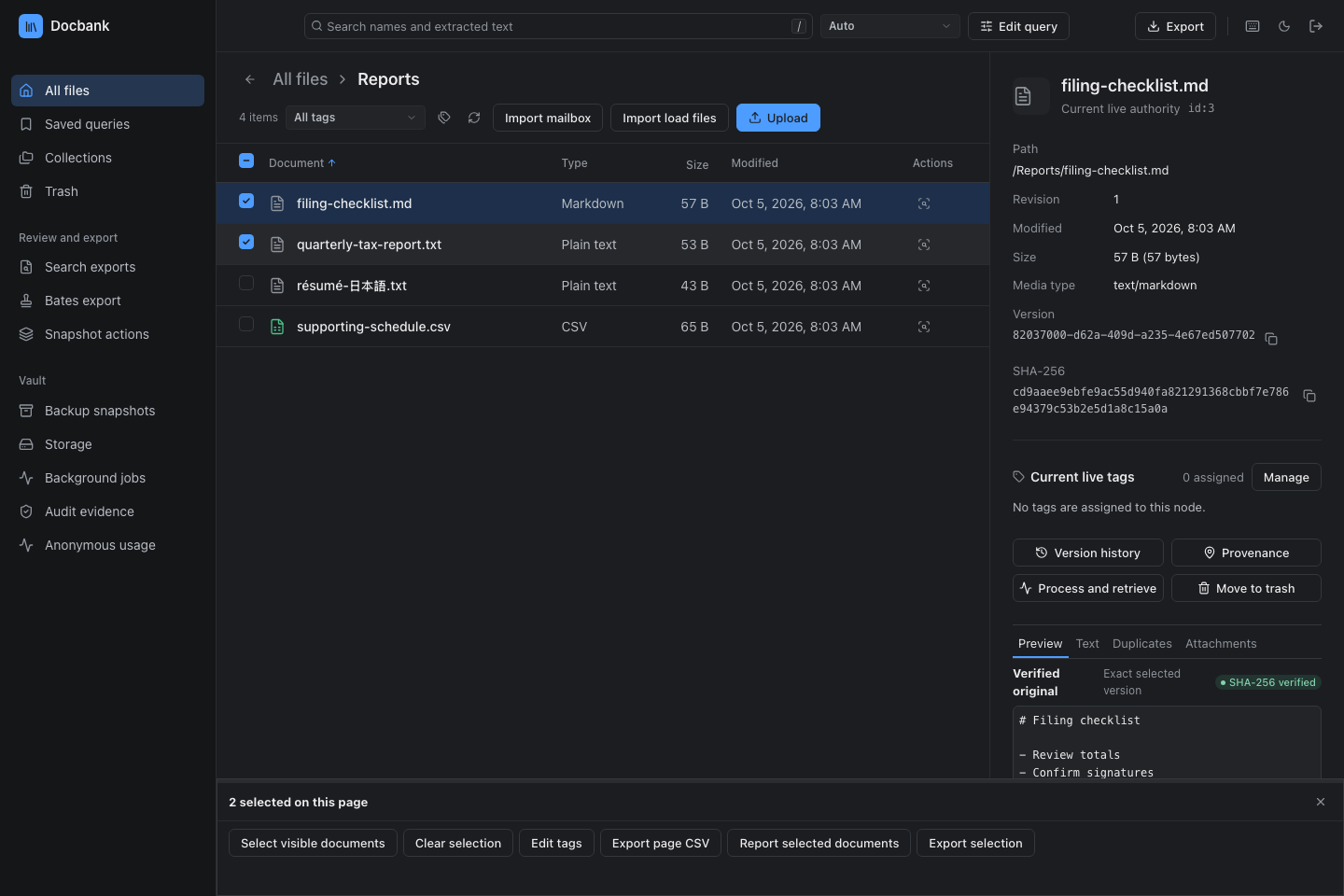
The web app lists a folder as a sortable table. Select a document to see its details without opening it: current path, stable ID, revision, version ID, SHA-256 content hash, tags, origin records, and permanent-audit status. The browser gets limited credentials that last for one daemon run. See Web application for controls and authentication.

Organize with tags
Tags group documents across folders. A tag keeps its UUID and its color when you rename it, and the browser groups tags whose names share a slash-separated prefix. You can manage tags in the browser. People and agents use the same daemon API, which rejects a change made against an outdated revision. See Organizing and tagging.

Review a selection
Check a range of documents, then tag them all in one atomic step or download the checked rows as CSV. The sidebar groups the tools for browsing, review, export, and vault maintenance. On a narrow screen, the same tools are in the navigation menu. See selection and shortcuts.
Keep a search and its results
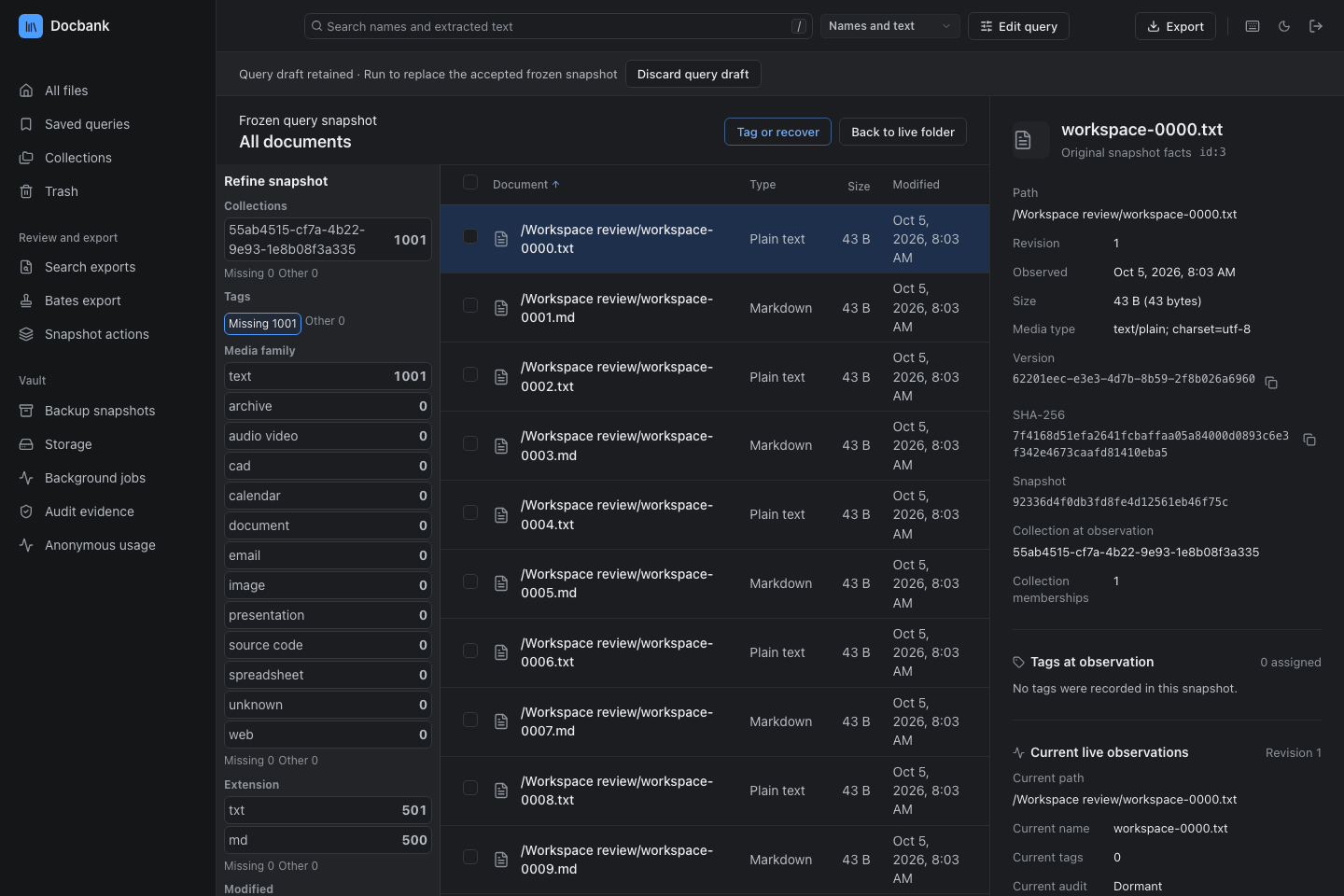
The query editor accepts field and Boolean expressions. You can save a complete query and reuse sets of highlight terms. Running a lexical query freezes its rows, counts, and facets, and each frozen row keeps the version that matched when the query ran. See frozen queries.
Read extracted text and search by meaning
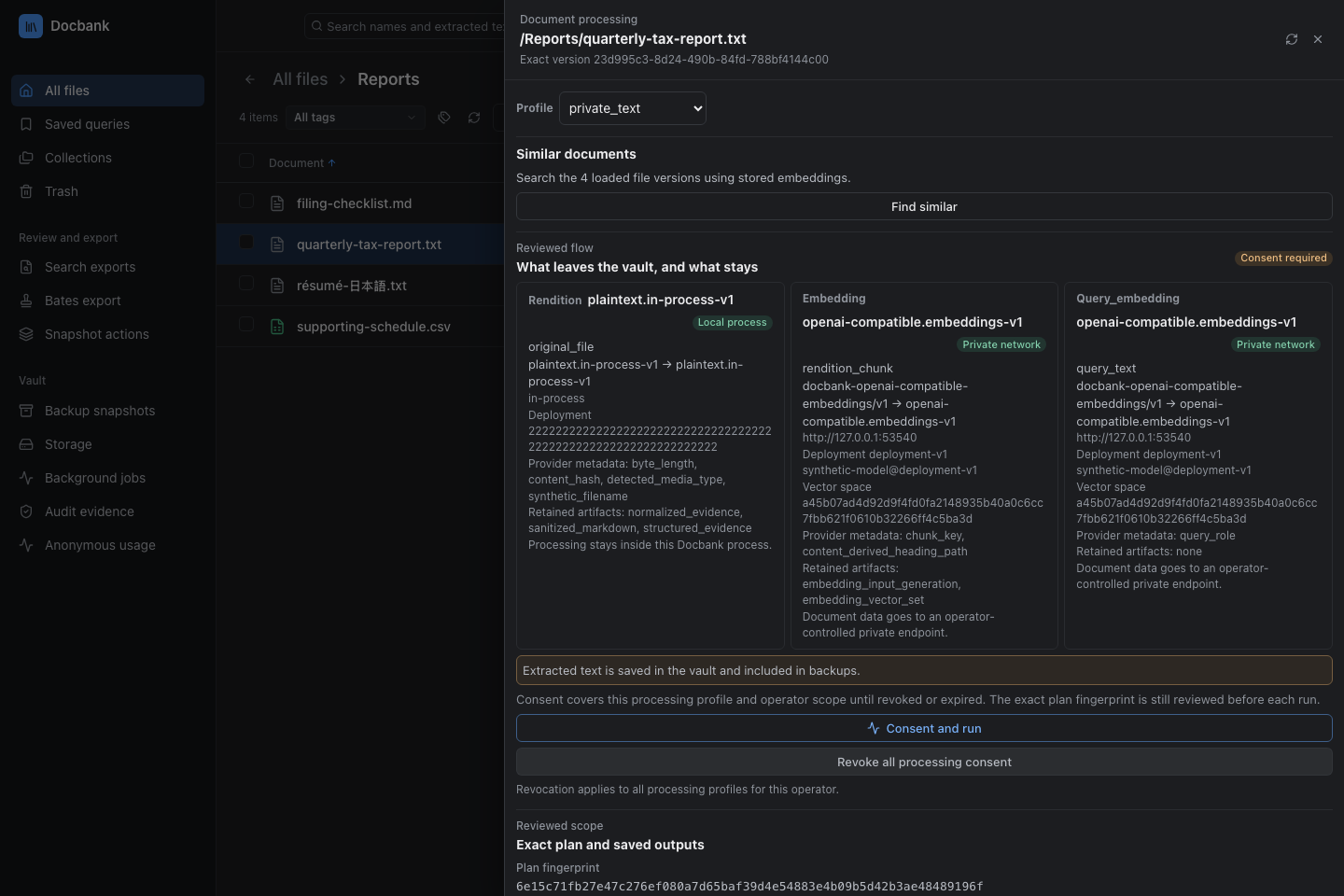
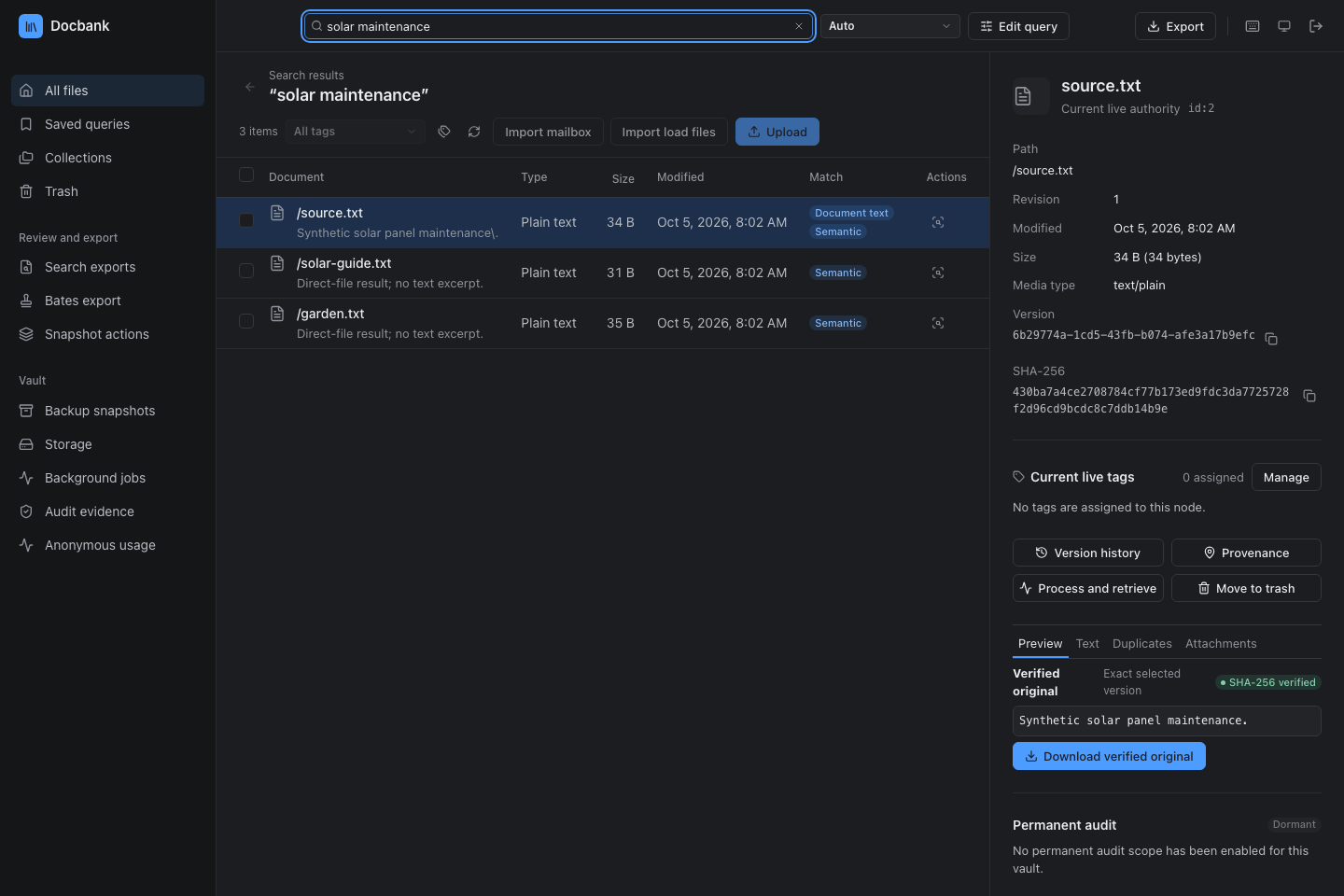
Before you consent to processing, the plan shows what each configured provider will receive. Once the job finishes, read its rendition: the extracted Markdown that Docbank verified and stored for that version. With embeddings configured, search gains Semantic and Hybrid modes. Find similar compares stored embeddings and calls no provider. See processing and search.
Read email with its attachments
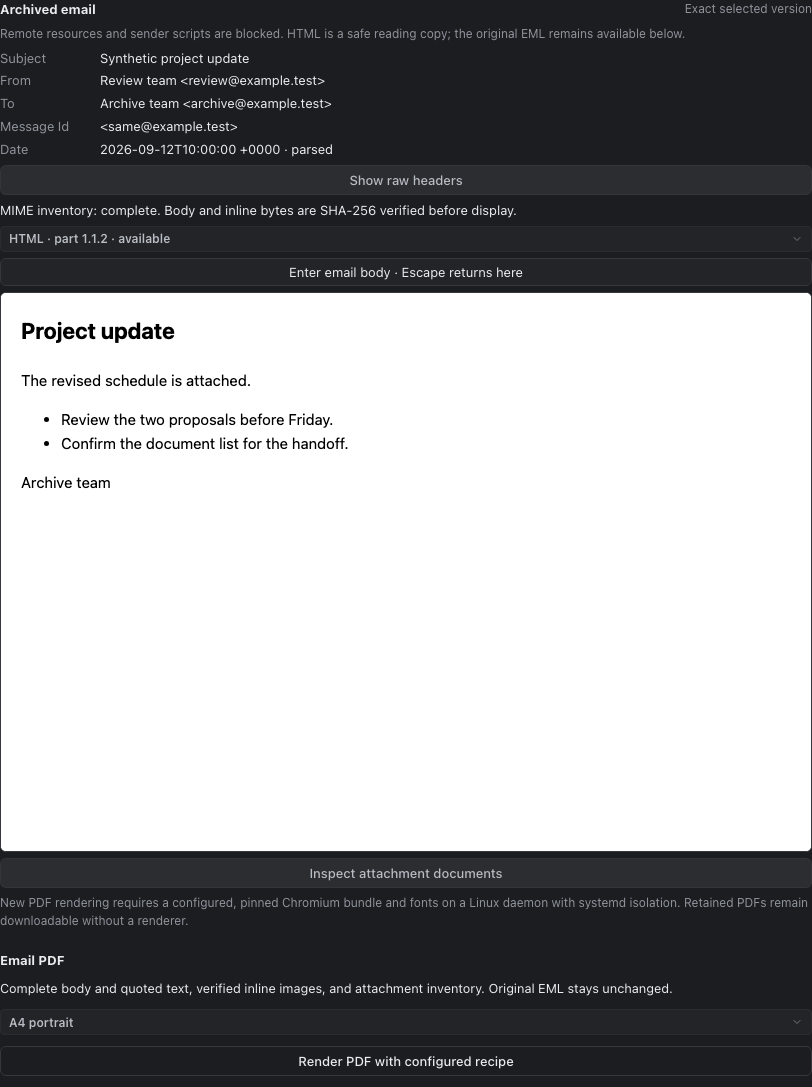
Import an MBOX file or a Google Takeout archive. Read each message as HTML or plain text, with decoded or raw headers. From a message you can open its attachments, and from an attachment its parent message, each at the version that was imported together. See archived email.
Download the versions you reviewed
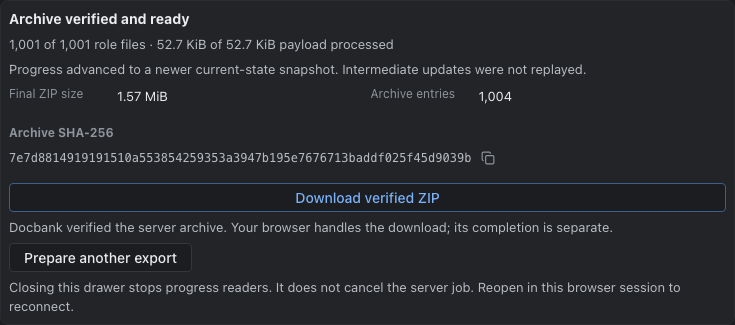
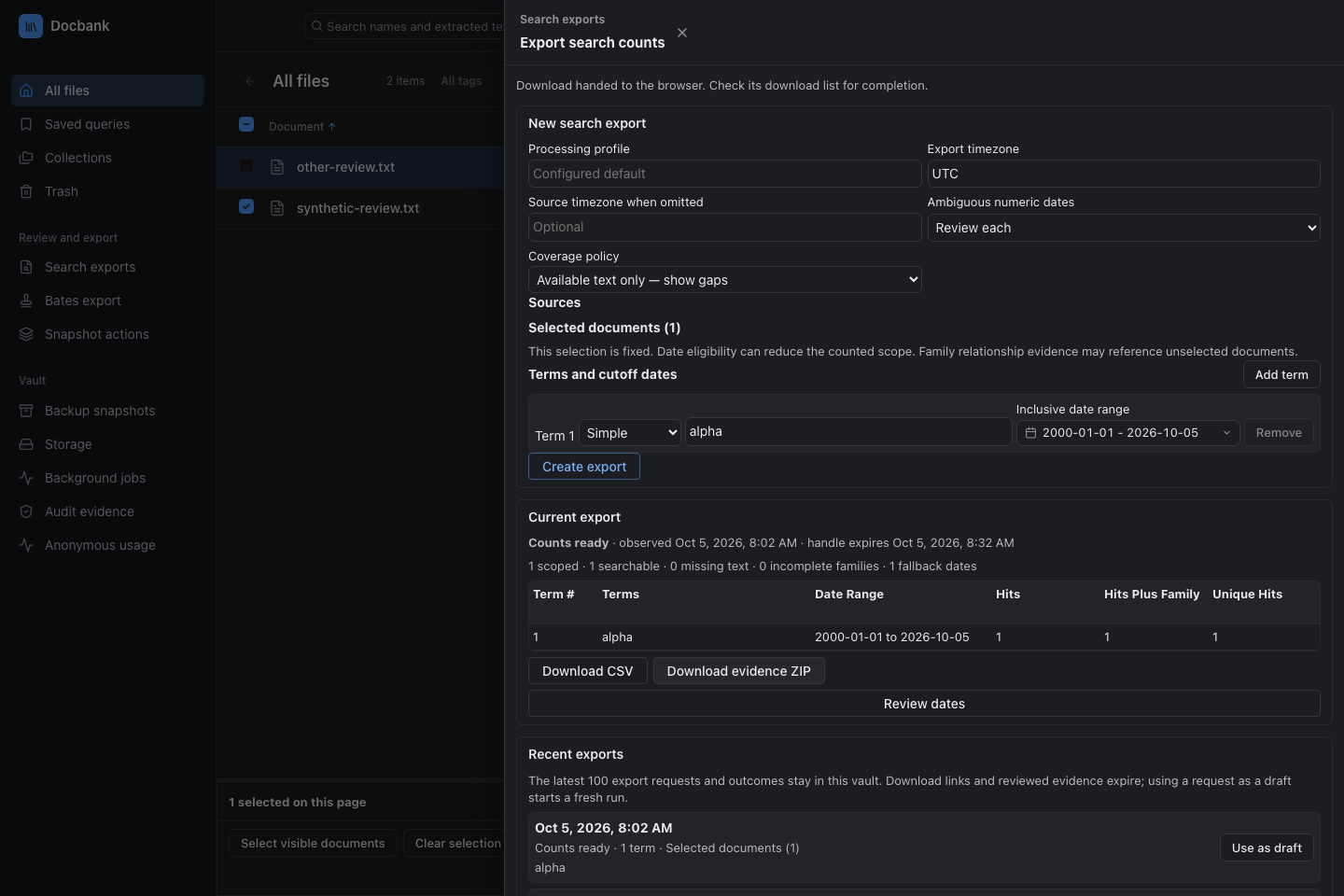
Start an export from a page, from checked rows, or from a frozen query. The preview lists the original files and stored outputs the bundle will contain. Download the verified ZIP when it is ready. A search report for a date range has two downloads: the CSV of counts and a frozen evidence ZIP. See document bundles and search reports.
Exchange packages and label pages
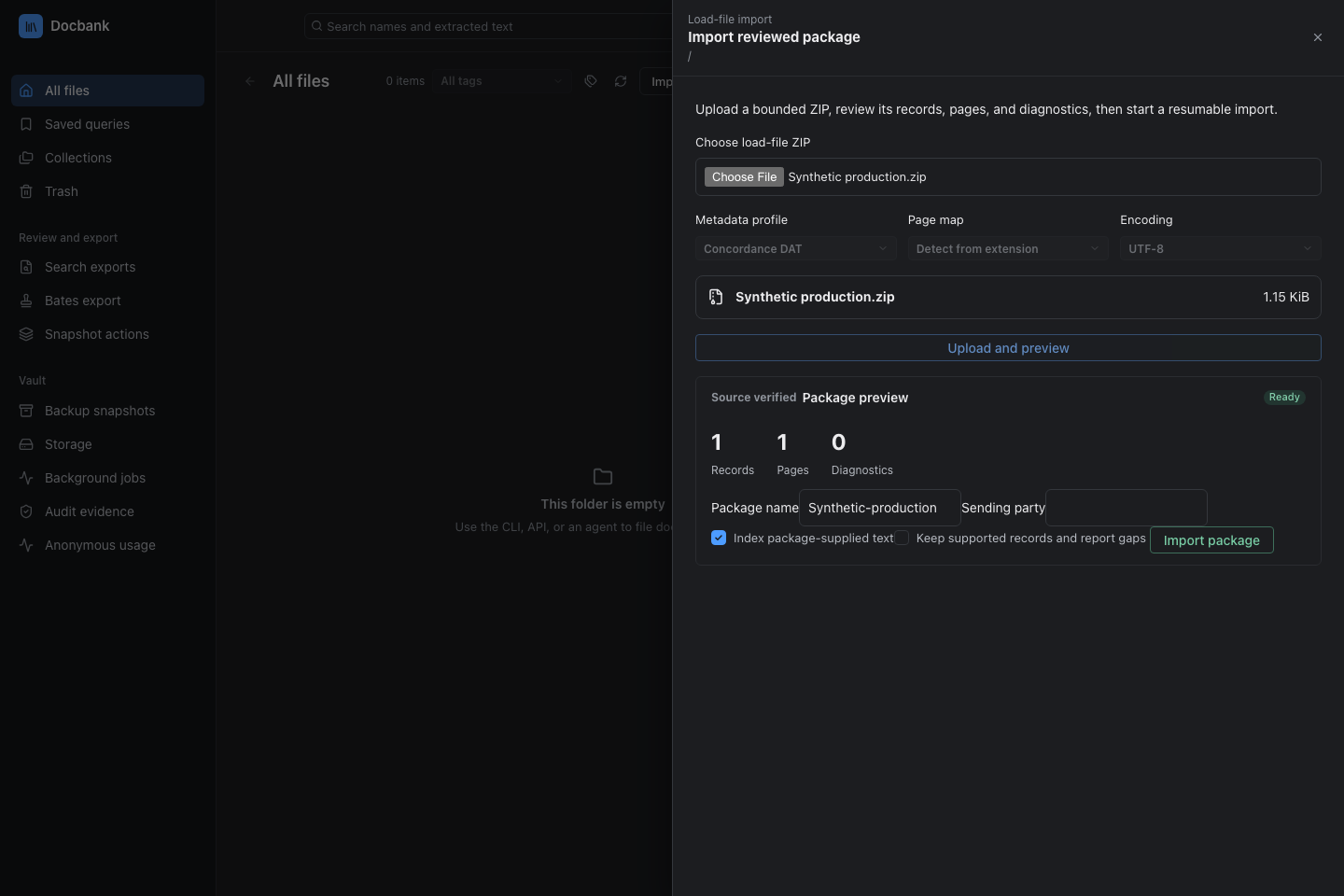
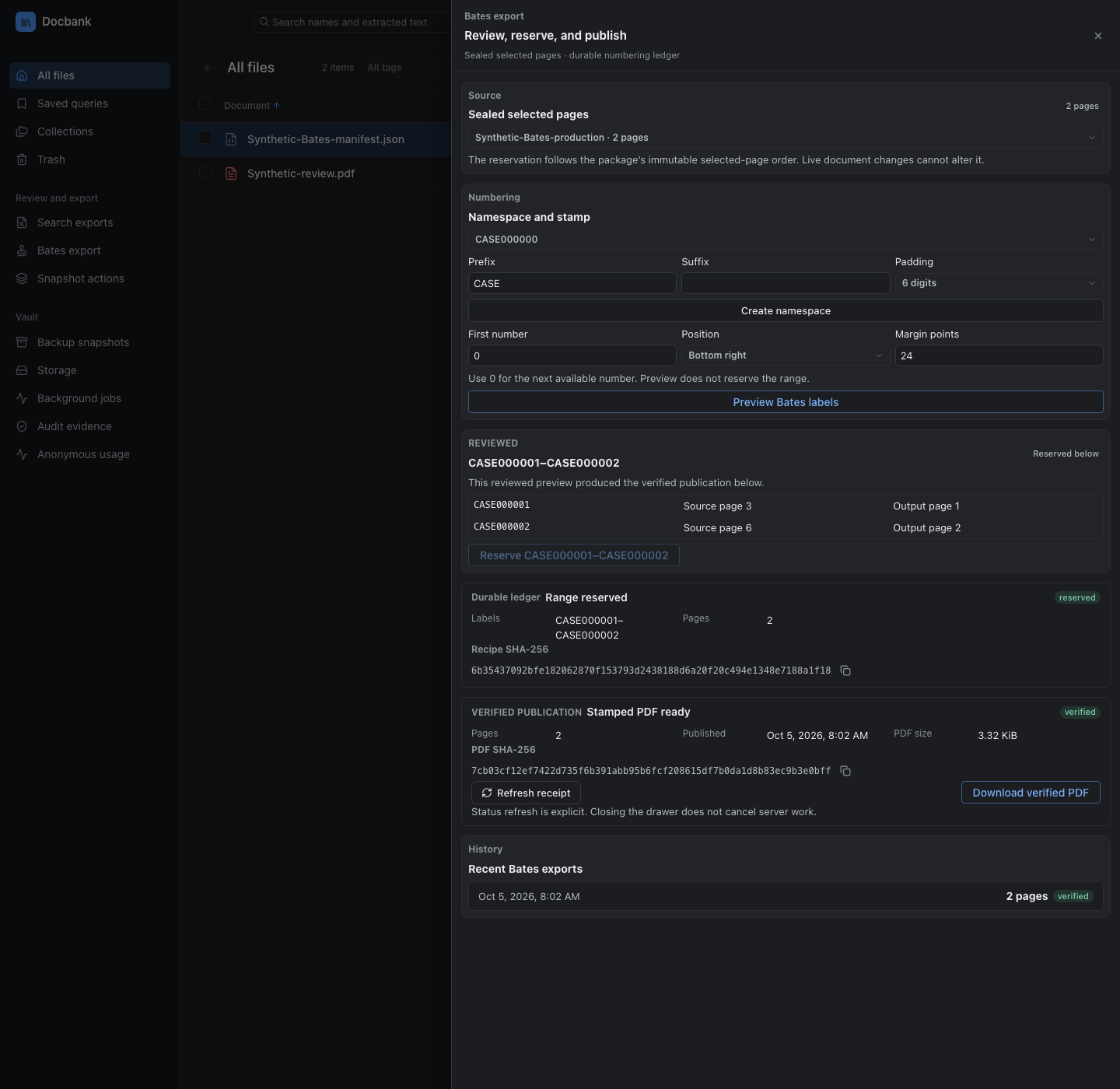
Import a load-file package with its files, supplied text, metadata, and page maps. Once a package is sealed, you can preview and reserve sequential Bates labels, then export the selected PDF pages with the labels stamped on them. See load-file import and Bates export.
Verify permanent history
Enabling an audit scope on a directory keeps its versions and recorded changes permanently. Verification replays that history and checks the hashes of the protected content. Save the evidence report outside the vault so you can compare it with a later check. Enabling a scope cannot be undone. Permanent audited history explains the retention rules.

See where document bytes are stored
The storage view lists the built-in local store and any filesystem or S3-compatible stores you have configured. It is read-only. It separates what the database records from the bytes actually on disk, and reports store health, content that has only one copy, and the live documents a problem affects. See Multi-store storage for placement and recovery commands.

Work from a terminal
The terminal user interface (TUI) browses and searches the vault, shows document IDs and history, and moves documents to and from the trash. Its operations screen loads storage and backup results independently, so vault status still appears when a backup repository is unavailable. See the terminal browser guide for keys and limits.

Next, try the quickstart or pick a task from the capability guide.